Most new businesses follow a pattern when they begin. They think about a website, a logo, and how they are going to market their product. Many entrepreneurs and small business owners treat their brand identity like a simple sticker, using basic designs or name-based logos that aren’t trendy and easy to copy. There is no philosophy behind them.
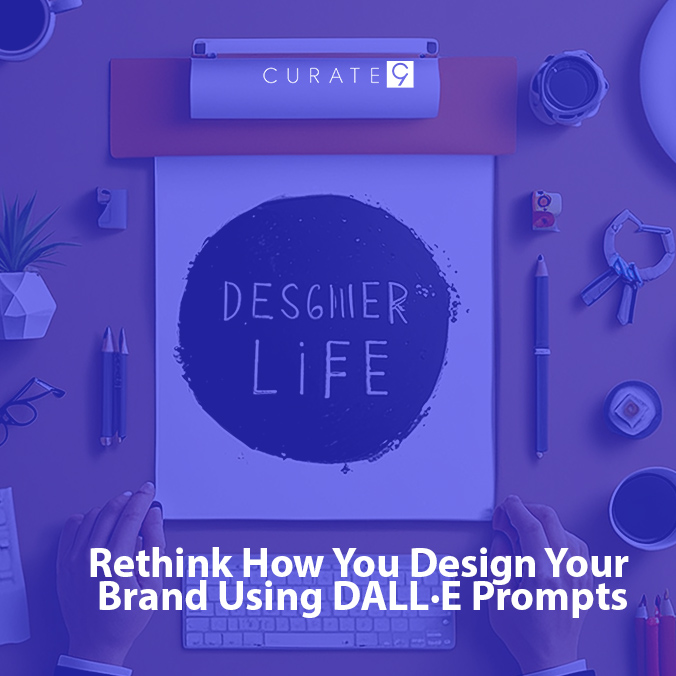
Today, many brands are using generative AI tools like DALL-E for basic tasks to get started. This allows them to visualize concepts quickly before moving to more complex aspects of branding. Although there are tools, it might still need some expertise when it comes to prompting and designing. You must stop thinking like a regular user and start thinking like a builder. This guide will help you understand how to create a logo with DALL·E in the best way to make an impact for your brand or business.
The Role of DALL-E in Modern Creative Design
DALL-E is a prominent generative AI tool for creative tasks. It is a powerful engine that turns prompts into high-quality images in seconds. It acts as a digital canvas to explore ideas that once required a large budget. Brands are now using this technology to build unique visuals for their logos and social media.
This tool has become a vital asset in the current creative industry. Professional design studios such as Curate9 are using it to help their clients visualize complex identities faster than ever before. For small businesses and startups, it provides a way to compete with larger companies by offering high-end design concepts at a fraction of the traditional cost.
It allows a brand to test its visual impact before committing to a final look. While the machine does the drawing, the human provides the soul and the strategy. It is the perfect starting point for any business that wants to make a strong impact.
How to Create a Logo with DALL-E
Creating a professional brand identity requires a blend of creative strategy and technical precision. Using DALL-E allows you to move from a basic idea to a visual concept in seconds. By following a structured process, you can ensure your results look premium and intentional rather than generic.
Step 1: Define Your Brand Identity
Before typing a prompt, establish the personality of your business. Decide if your brand is traditional, modern, or playful. Identifying these core traits helps you choose the right descriptive words that guide the AI toward a relevant and impactful visual style.
Step 2: Craft a Detailed Prompt
Input a specific description into the tool to generate your initial concepts. Mention specific materials like polished brass or natural stone to add weight. Avoid simple phrases and instead focus on textures and moods that reflect your professional business goals.
Step 3: Refine and Iterate
The first image is rarely the final version. Use the AI to test different variations by slightly changing the lighting or the thickness of the lines. This experimentation phase allows you to discover unique shapes that a standard designer might overlook.
Step 4: Finalize with Professional Help
Once you have a strong concept, work with the experts at Curate9 to polish the design. They turn these digital sparks into scalable vector files. This step ensures your logo is ready for high-quality printing and long-term use.\
How to Write an Effective Prompt for DALL-E
To use tools like DALL-E effectively, you need to think like a creative artist. While you do not need years of experience, you need to be smart with prompting. How to Create a Logo with DALL-E becomes easier when you ace the art of writing your requirements.
Think about the physical properties of the design, such as its texture, lighting, and geometric balance. Using specific keywords like flat vector, minimalist, or negative space prevents the AI from adding unnecessary colors or lines. By defining the material and the intended mood, you guide the algorithm to produce a mark that feels intentional and high-end.
Below are three sample prompts designed for different industries to help you get started with your brand identity.
Restaurant Industry
If you are opening a cafe or restaurant, you want a logo that suggests taste and quality. Avoid generic food icons and focus on the atmosphere of the dining experience.
Sample Prompt: A minimalist emblem logo for a high-end French restaurant, featuring a stylish sprig of lavender, thick clean lines, charcoal grey and soft gold color palette, flat vector style, isolated on a white background, professional and elegant aesthetic.
E-commerce Store
For an e-commerce clothing store, the logo must be scalable and stylish. It needs to look just as good on a website header as it does on a physical garment tag.
Sample Prompt: A modern wordmark logo for an organic cotton clothing brand, minimalist serif typography with wide letter spacing, a small abstract leaf icon integrated into the letter C, sage green and cream tones, neutral and airy design, no 3D renders.
Fitness Gym
Fitness branding requires a sense of energy and stability. Use words that imply movement or physical strength without relying on overused symbols like heavy dumbbells.
Sample Prompt: A bold geometric logo for a functional fitness gym, three interlocking triangles forming a sharp hexagonal shape, deep navy and electric blue, solid lines, architectural precision, suggesting strength and connectivity, flat design, no shadows or gradients.
By using these specific frameworks, you can quickly generate a variety of concepts that align with your business goals. Remember that the best prompts are those that provide clear boundaries while allowing the AI room to be creative with the visual execution. Once you find a shape you love, the team at Curate9 can help you refine it into a permanent brand asset.
Pitfalls to Avoid When Creating a Logo with DALL-E
Creating a professional brand identity requires a careful eye to avoid common technical traps. One major concern involves the legal side of generative AI. Current 2026 regulations state that designs made solely by a machine cannot be protected by copyright. This means another business could potentially use a similar mark without any legal consequences. To ensure your brand is secure, a human designer at Curate9 can modify the original output to create a unique and legally ownable asset.
Beyond legal issues, the technology often defaults to a digital style that lacks professional polish. It tends to add unnecessary glows or complex shadows that look cheap in a professional context. These extra details often fail when the logo is printed on physical materials. To learn how to create a Logo with DALL-E that truly works for your business, you must avoid these specific mistakes:
- Writing short and complex prompts can result in a blurry mess. Also, ensure it is in vector form to reduce blurriness on a small mobile phone screen.
- Using default neon color palettes that make your brand look like a cheap digital sticker rather than a premium business.
- Including too many different symbols in one circle, which confuses the customer and makes the brand very hard to remember.
- Do not rely on shadows and 3D renders. They prevent the logo from looking clean when printed in a single solid color.
- Never accept the first logo DALL-E makes. Improve the prompt to get the best results and test unique and balanced visual shapes for branding.
Conclusion
Mastering how to create a Logo with DALL-E provides a powerful advantage for any modern business. The generative AI technology can be used to create a brand identity, allowing for rapid experimentation and discovery. However, a successful brand is built on more than just a digital image. It requires a balance of strategic thinking, technical refinement, and legal security. By avoiding common technical pitfalls and focusing on high-quality prompts, you can establish a visual foundation that commands respect. Ultimately, the most successful brands use these tools to spark innovation while relying on human expertise to achieve a professional finish.
Your business deserves a mark that is as unique as your vision. Curate9 specializes in transforming AI concepts into professional, legally protected brand identities. Do not settle for a generic digital file that you cannot own.
Contact us to design a creative and high-quality logo for your brand.
Frequently Asked Questions
Can I use DALL·E to make a brand logo?
DALL-E is a prominent generative AI tool for creative tasks. It builds unique logos based on specific prompts or a brand profile. Curate9 helps improve these designs or create new branding for your business.
Are logos from DALL·E free from copyright?
Current 2026 regulations state that AI images without human input cannot be copyrighted. To protect your brand, Curate9 refines these digital designs into original assets that your business can legally own and secure forever.
How to create a logo with DALL·E?
Creating a logo on DALL-E is simple. Start by writing a prompt describing the philosophy, color, and shapes you would like to see in your logo. Experts at Curate9 can help you prompt, create brand guidelines, and refine your logo to boost your brand identity.