Why a “Simple Picture” is Your Biggest Business Asset
If you are starting a business in 2026, you might think a logo is just a pretty picture that goes on your website. This is a massive mistake. Your logo is not art; it is a strategic “Competitive Footprint.” It is the very first thing a customer sees, and it is the only part of your brand that they will remember when they walk away.
Think about the biggest brands in the world. When you see the “swoosh” on a sneaker or the “bitten fruit” on a laptop, you don’t just see a shape. You feel an emotion. You think about quality, speed, or innovation. That is the power of a professional logo design. It encodes your entire business mission into a single, simple mark.
If you don’t take this process seriously, you are leaving your “consumer mindshare” wide open for a competitor to steal. This blog will teach you how to design a logo for a business using a professional workflow. This isn’t just about “drawing”; it is about building a foundation that protects your brand for the “Market Persistence.”
Phase 1: Research and Discovery (Mapping Your “Visual Latitude”)
The biggest mistake beginners make is jumping straight into a design tool like Canva or Illustrator. If you start drawing before you research, you are just “guessing,” and guesswork does not build a profitable brand. A professional workflow always begins with a deep dive into the “Geometric Logic” of your market.
1.1 Defining Your “Mission DNA”
Before you draw a single line, you must answer three questions. If you don’t know these answers, your logo will have no “Bone Strength” and will be forgotten instantly.
- Who are you? (What is your core promise?)
- Who are they? (Who is your ideal customer?)
- What do they feel? (What emotion should they have when they see your brand?)
You must be specific. If you say your customer is “everyone,” you are designing for “no one.” Are you a high-speed, 24-hour tech support team, or a slow, luxurious, artisanal bakery? Those two businesses need completely different visual languages.
1.2 The Competitor Audit: Locating the “Empty Gap”
The next step is to look at every single rival in your industry. Lay their logos out on a grid. What do you see?
Most likely, you will see a trend. If every other coffee shop is using a green circle and a brown coffee bean, that is a “Template Trap.” If you use the same shapes and colors, you become invisible. Your goal is to find the “Visual Gap”,the shape, color, or style that nobody else is using. This is how you claim your initial “Competitive Footprint.”
At Curate 9, we are experts at finding this gap. We help you skip the “cookie-cutter” looks and build a Visual System that is uniquely yours from day one.
1.3 Building a “Visual Logic Board” (Moodboarding)
Don’t rely on your memory. Build a moodboard. This is a collection of images, textures, fonts, and colors that feel like your brand.
Notice I said “feel.” Don’t just pick pictures of things you like. If you are building a safe, secure bank, your moodboard should have pictures of stone buildings, thick metal locks, and strong trees,not fluffy clouds and neon lights. This board becomes your “North Star” for the entire project, keeping your design decisions anchored in strategy, not opinion.
Phase 2: Sketching and Concepting (The “Napkin” Phase)
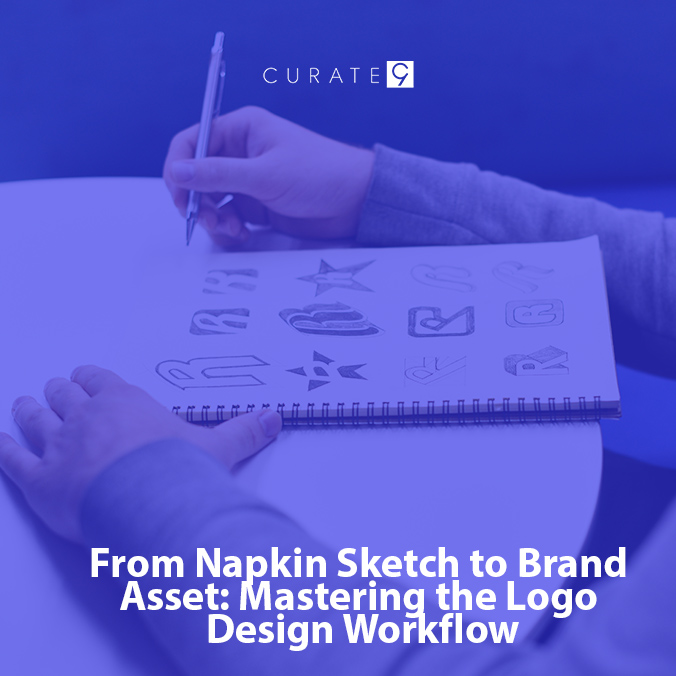
Now you can draw. But do not turn on your computer yet. The computer is a terrible tool for thinking. It forces you to be precise when you should be creative. A professional workflow always starts on paper.
2.1 The “Rapid-Fire 50” Hack
Grab a pen and a piece of paper. Set a timer for 20 minutes. Your job is to draw 50 different logo ideas. They do not have to be good. They just have to be different.
This process forces your brain to get past the obvious, boring ideas. The first five ideas will be “Template Traps” (like a lightbulb for an “idea company”). The next twenty will be “meh.” But the last twenty-five are where the magic happens. This is where you connect ideas in new ways. This is where your “Unique Shape Math” is born.
2.2 The “Silhouette Test”: Ensuring Maximum “Bone Strength”
Once you are done with making 50 sketches, pick your top five. Now, shade them in completely with a black marker.
If your logo relies on color to make sense, it is a bad logo. A truly great, “Future-Proof” logo must pass the “Silhouette Test.” Can you still tell what it is when it is just a solid black shape? If the answer is yes, that concept has “Bone Strength.” This ensures the logo will work on everything from a giant billboard to a tiny golf-ball stamp.
2.3 The “Feedback Loop”: Mastering the Initial Input
You are too close to your work. Show your top three black-and-white silhouettes to a small group of trusted people. Do not ask, “Do you like it?”
Instead, ask strategic questions:
- “Which of these feels more fast and high-tech?”
- “Which one makes you feel safe and secure?”
- “What is the first word that comes to mind when you see this shape?”
This feedback tells you if your “Visual Message” is getting across. It helps you pick the single best concept to take to the digital phase.
Phase 3: Digital Drafting (Turning Concepts into “Geometric Logic”)
Now it is time to turn on your computer and turn that sketch into a precise digital asset. This is where you move from “art” to “engineering.”
3.1 Choosing Your Weapon: Raster vs. Vector
This is a critical, multi-thousand-dollar decision. You must understand the difference.
- Raster Images (.jpg, .png): These are made of tiny colored squares called pixels. They are like digital photo. If you make them too big, they become blurry and “pixelated.”
- Vector Images (.ai, .eps, .svg): These are not pictures; they are “Mathematical Shapes.” They are built on paths and points. You can scale a vector to the size of a skyscraper or the size of a pin, and it will always look perfectly sharp.
A professional logo must be a vector. If your designer gives you a .jpg and tells you they are finished, they have failed. You cannot trademark or properly use a raster logo. This is a common “Technical Pitfall” that will haunt your business for years.
Meanwhile, Curate 9 only delivers Final Vector Assets. This ensures your brand is responsive and ready for any screen, print job, or sign in the next decade.
3.2 Engineering the Grid: Geometry First
Don’t just trace your sketch. Rebuild it using pure geometry. Circles, squares, and precise angles create a logo that feels “balanced” and trustworthy to the human eye. This is the core of “Geometric Logic.”
If your logo’s lines are random and shaky, it looks “cheap.” Using geometric grids gives the logo “Bone Strength” and ensures it maintains its integrity across different mediums. This “Geometry First” approach makes your brand instantly native-fast and recognizable.
3.3 The Black-and-White Rule: Ignoring Color for Days
We repeat: do not add color yet. You must refine the shape in solid black and white only. Color is an emotional signal, and it can hide problems in the design. If the logo doesn’t work in simple black and white, adding a gradient will not save it.
Only when the shape is perfect, balanced, and communicative are you ready to move to the color phase.
Phase 4: Color and Typography (The “Visual Signal” Layer)
You are near the finish line. Now you are adding the signals that tell the customer how to feel about your brand. This is the most emotional part of the workflow.
4.1 The Psychology of Color: Hacking Emotions
Color is not about “what you like.” Color is strategy. Every color sends a powerful message directly to the human brain.
- Blue: Trust, calm, authority (Banks, Tech).
- Red: Energy, speed, hunger (Fast Food, Startups).
- Green: Health, growth, safety (Organic, Finance).
- Yellow: Happiness, optimism, warning (Retail, Construction).
You must choose a palette that matches your brand’s mission. If you are a high-end luxury spa, you do not use “Construction Yellow.” You use soft “Visual Latitude” colors like muted blues and greens. For help understanding how these signals work, check the Official Color Psychology Guide.
4.2 Mastering the “Typography Trap”
Your font is just as important as your icon. The font is a logo. A common pitfall is using a trendy font you found on Instagram. This is a “Template Trap” that will make your logo look dated in two years.
- Serif Fonts (with small “feet”): Traditional, luxurious, established.
- Sans-Serif Fonts (clean lines): Modern, clean, approachable.
- Script Fonts (cursive): Elegant, creative, personalized (hard to use correctly!).
A professional workflow ensures your text and your icon are in perfect harmony. They must use the same “Geometric Logic.” If your icon is built on 45-degree angles, your font should not be soft and curvy.
4.3 The “Responsive Logo System”: More Than One File
In 2026, a single logo file is not enough. You need a “Modular Logo System.” You will need different versions for different “Digital Real Estate” locations.
- Main Logo: Icon + Wordmark (stacked).
- Horizontal Logo: Icon next to Wordmark (for website headers).
- Icon-Only: The symbol by itself (for social media favicons).
- Reversed Logo: A white version for dark backgrounds.
A true custom build provides these assets, giving you “Brand Independence” and saving you from having to pay for a redesign every time you need a new asset.
Phase 5: Refinement and Delivery (Securing the “Competitive Footprint”)
The final phase is about proving the design works in the real world and locking it down legally.
5.1 The “Proof-of-Concept” Stress Test
Do not approve the logo based on a white background. Put it on “mockups.” See what it looks like on your actual website header. Mock it up on a business card, an embroidered hat, and a giant office sign.
This “Stress Test” is vital for “Market Persistence.” It ensures the “Geometric Logic” you engineered holds up when the design moves from the screen to physical reality. If the thin lines disappear on an embroidered hat, the design needs adjustment.
5.2 The “Legal Geometry” Vetting
Before you launch, you must vet the logo for trademark potential. This is not about “did you copy someone.” This is about ensuring your logo shape is unique enough to be legally protected as your own “Competitive Footprint.”
If your logo is just a basic circle or a common letter “A,” the government will likely reject your trademark application. We build logos with “Legal Geometry” from the start, saving you thousands in legal fees later on. This is part of our Future-Proofing commitment.
5.3 Delivering the “Brand Bible” (Brand Guidelines)
The project is not over when the files are sent. A professional workflow delivers a “Brand Bible.” This document tells everyone exactly how to use the logo so it stays “Native-Fast.”
It dictates things like:
- “Minimum Size” (never print smaller than 1 inch).
- “Clear Space” (how much “Negative Space” must always surround the logo).
- “Color Codes” (the exact HEX, RGB, and CMYK codes for your palette).
This document ensures consistency, which is the ultimate key to building a 10-Year Legacy Brand.
The Branding Black Belt: 5 Super Hacks to Win Your Market
To win in 2026, your logo cannot just be “pretty.” It must be a piece of “Competitive Footprint” that works for you. Use these five hacks to skip the “Copy-Cat” traps and build a brand with real “Bone Strength.”
1. How can I test my logo for “Small-Screen” success?
In a mobile world, your logo must work at the size of a tiny bean. Use the “Social Media Squint.” Shrink your logo to a 16×16 pixel square. If it looks like a messy blob, it fails. A great logo uses “Geometric Logic” to stay sharp even when it is very small. This keeps your brand “Native-Fast” on every phone screen.
2. Why should I design in “Solid Black” for the first 10 days?
Color is a trick that can hide a weak shape. Hack your workflow by banning color at the start. If your logo does not look strong in plain black, it has no “Bone Strength.” This ensures your brand works on a white shirt, a grey box, or a dark site. Once the shape is perfect, then you can add the “Visual Signal” of color.
3. How do I use “Negative Space” to hide a secret message?
The best logos have a “hidden” layer that makes fans look twice. This is the “Visual Latitude” hack. Think of the arrow in the FedEx logo. By using the empty space between letters to create a new shape, you build a “Mental Link” with your customer. It makes your brand feel smart and high-end.
4. Can “Geometric Grids” make my brand feel more stable?
Humans love balance. Use a “Circle Grid” to build your icon. When every curve matches the next, it creates a sense of “Visual Calm.” This is a major factor in building trust. It tells the brain that your shop is professional and well-run. This “Geometry First” rule is how big brands stay famous for 50 years.
5. How do I build a “Modular Kit” for fast launches?
Stop thinking of a logo as one file. Build a “Logo System.” This means having an icon, a wordmark, and a horizontal version that can be pulled apart. This gives you “Brand Independence.” You can move parts around for a hat, a site header, or a tiny app button without the “Manual Grind” of a redesign.
What Questions Real Business Owners are Asking
- Is it a “Legal Risk” to use an AI-made logo for my main shop?
Yes, it can be! Many AI tools use art from other people. This can lead to a “Legal Trap” where you cannot own your “Competitive Footprint.” To be safe, always have a human pro refine the “Geometric Logic.” This ensures your shape is unique enough for the government to give you a real trademark for your brand.
- Why does my logo look “fuzzy” when I print it on a big sign?
You are likely using a “Raster” file made of pixels. For the “Market Persistence,” you must use a “Vector” file. Vectors are built on math, not dots. This means they stay sharp if they are the size of a coin or a house. Meanwhile Curate 9 only gives vector files so your brand stays crisp forever.
- How many colors are “too many” for a modern retail brand?
In 2026, “Simple is King.” Most top brands only use two or three colors. Too many colors create “Visual Noise” and make it hard for fans to remember you. Pick one main “Signal Color” and one or two “Support Tints.” This keeps your brand look clean, “Native-Fast,” and very easy for the eye to scan.
- Does the “Font Choice” really change how much I can charge?
Absolutely. Fonts carry “Shape Psychology.” A thin, tall font feels like a high-end luxury spa. A thick, bold font feels like a fast-moving tech firm. If your font does not match your price, customers feel a “Logic Glitch” and will not buy. We help you pick fonts that match your “Visual Message” so you can charge what you are worth.
- Can I just “Update” my logo later if it doesn’t work now?
You can, but it is a “Costly Pitfall.” Changing a logo means replacing signs, shirts, and ads. It confuses your fans and ruins your “consumer mindshare.” It is much better to build a “Future-Proof” logo today. Spend the time now to get the “Bone Strength” right so you don’t have to pay for a fix in two years.
- Why should I care about “Clear Space” around my icon?
You need to think of “Clear Space” as a fence for your “Digital Land.” If other text or pics get too close to your logo, it looks messy and cheap. A professional “Brand Bible” sets a rule for “Negative Space.” This ensures your logo always stands out and looks “Elite.” It is a small detail that makes a massive difference in how big you look.
Ditch the Basic Tools and Build a Lasting Legacy
Your brand is not just a name; it is your most valuable business tool. In a world where everyone has access to the same basic templates, a “generic” look is a fast track to becoming invisible. Your business deserves more than a ten-minute automated design and more than a fragile raster file that turns into a blurry mess the moment you try to scale it. Mastering a professional logo design workflow is how you claim your “Competitive Footprint” and protect your hard work for the next decade.
Building a brand with “Bone Strength” is a high-stakes challenge. It is a complex mix of fine art, precision engineering, and deep human psychology. Every line, curve, and “Negative Space” choice acts as a silent salesman, telling your customers exactly who you are before you even speak. If your visual message is weak or confusing, you are leaving your “consumer mindshare” wide open for a competitor to move in.
You don’t have to navigate this technical maze alone.
Ready to Own Your Brand’s Future?
Stop gambling with your company’s primary asset. When you settle for a “Template Trap,” you aren’t just saving money,you are risking your legal safety and your professional reputation. Instead, partner with a team that understands the “Geometric Logic” required to win in 2026.
We build high-performance visual identities that skip the cookie-cutter aesthetic and move at a “Native-Fast” speed. Curate9 ensures your brand dominates your market, stays mathematically perfect on any screen size, and is built on “Legal Geometry” that protects your trademark rights for 2028 and beyond.
We are ready to guide you through every step of this expert workflow,from that very first napkin sketch and “Mission DNA” session to the final delivery of your comprehensive, print-ready “Brand Bible.” Let’s turn your vision into a digital flagship that your fans will recognize and trust instantly.